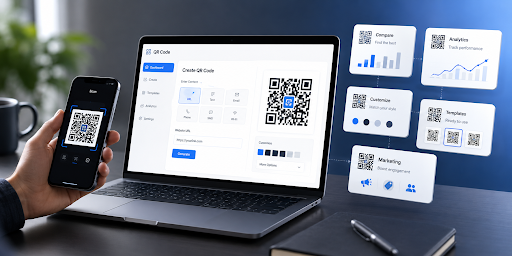
QR codes have moved far beyond simple links to restaurant menus. Businesses now use them on packaging, business cards, event materials, retail displays, advertisements, product documentation, review campaigns, and printed marketing materials.
That wider range of use cases has also changed what people should expect from a QR code generator.
For a one-time link, almost any reliable static QR tool may be enough. A business running ongoing campaigns, however, may need editable destinations, scan analytics, branded designs, high-resolution downloads, multiple QR formats, or team-management features.
The right platform therefore depends on what the QR code needs to accomplish after it has been created.
After comparing usability, static and dynamic QR support, customization, analytics, business features, and suitability for print and marketing, these are five QR code generators worth considering in 2026.
| QR Code Generator | Best For | Dynamic QR | Analytics | Custom Branding |
| IMQRScan | Best overall for small businesses and marketers | Yes | Yes | Yes |
| QR TIGER | Large campaigns and advanced QR use | Yes | Yes | Yes |
| Uniqode | Enterprise teams | Yes | Yes | Yes |
| QRCode Monkey | Free static QR codes | No on its free generator | No | Yes |
| Canva | Designers and visual content | Yes | Available with dynamic codes | Yes |
IMQRScan — Best Overall for Businesses and Marketing
For businesses that need more than a basic black-and-white code without moving immediately into an enterprise-oriented platform, IMQRScan is one of the strongest options in this comparison.
The platform combines free static QR generation with dynamic QR functionality for organizations that need to edit destinations or measure campaign activity later.
Users can create QR codes for common purposes including website URLs, Wi-Fi access, WhatsApp, email, SMS and locations. It also supports more business-focused uses such as vCards, restaurant menus, files, Google Reviews, product catalogues, lead forms, events and multi-link experiences.
Customization is another practical strength. Businesses can adjust colors, QR patterns, eye styles, frames and logos, making it easier to create a code that fits existing brand material instead of inserting a generic QR image into a professionally designed campaign.
Dynamic codes add an important layer for marketers because their destination can be updated after the code has already been printed. Scan information such as totals, time, approximate location and device information can also be viewed through the platform.
That combination makes IMQRScan particularly relevant for restaurants, local businesses, freelancers, agencies and marketing teams that need flexibility without an overly complex workflow.
For readers comparing the wider market, this independent-looking overview of the top QR code generator options provides a broader comparison of platforms and use cases.
Where IMQRScan stands out
Its biggest advantage is balance. It covers simple static creation but also provides the tools businesses commonly start needing once QR codes become part of regular marketing activity.
Businesses can therefore begin with a simple QR code and move to editable, trackable campaigns without having to adopt a completely different workflow.
Anyone who simply needs to create a code immediately can also use the online QR code generator for common static QR formats.
Best for: Small businesses, restaurants, freelancers, marketers and agencies.
Potential limitation: Large corporations requiring extensive enterprise integrations, SSO or complex governance may prefer an enterprise-focused platform such as Uniqode.
- QR TIGER — Best for Advanced Campaign Management
QR TIGER is one of the more established tools in the category and provides a broad set of features for businesses running multiple QR campaigns.
It supports both static and dynamic codes, with QR formats covering URLs, vCards, files, social pages, menus, Google Reviews, apps, events, Wi-Fi, email and several other content types.
Dynamic codes can be edited after publication, while analytics provide information such as total scans, time, location and device data. QR TIGER also offers bulk generation, campaign organization and integrations aimed at larger marketing workflows.
Design controls are extensive as well. Users can change patterns, eyes, colors and frames and place logos inside their codes.
This makes QR TIGER particularly suitable for organizations operating several campaigns at once rather than someone who only needs an occasional code.
Best for: Agencies, marketing departments and companies managing larger numbers of QR codes.
Potential limitation: Its larger feature set can be more than a small business needs for a straightforward QR campaign.
- Uniqode — Best for Enterprise QR Programs
Uniqode approaches QR codes more like a business campaign platform than a simple QR maker.
Its dynamic QR codes can have destinations updated after printing, while businesses can measure scans and build more structured QR campaigns. The platform supports QR formats for websites, PDFs, apps, contact cards, forms, menus, Wi-Fi and other business applications.
Analytics is one of its stronger areas.
Depending on the plan, teams can examine metrics such as scans, unique scanners, device information, time of day and geographic activity. Uniqode also supports more advanced enterprise capabilities around integrations, API access and centralized campaign management.
That makes the product appealing to organizations where QR codes are deployed across multiple locations, teams or customer touchpoints.
The trade-off is that smaller companies may not need that level of infrastructure.
Best for: Enterprises, multi-location brands and teams requiring advanced analytics and integrations.
Potential limitation: It may be excessive for users who simply want inexpensive QR creation for a handful of campaigns.
- QRCode Monkey — Best Free Static QR Code Generator
Not every business needs dynamic QR codes.
When the destination will never need to change and tracking is not required, QRCode Monkey remains a useful option.
Its free generator focuses primarily on static QR codes. Users can customize shapes and colors, upload a logo and generate high-resolution files for print. Available formats include PNG, SVG, PDF and EPS.
The generated static codes do not have a built-in scan limit or expiration period. Because the destination is embedded in the code itself, however, the content cannot later be changed without producing another QR code.
That distinction matters.
A QR code printed on thousands of product boxes may benefit from being dynamic because the destination could eventually change. A permanent Wi-Fi credential card, portfolio link or simple printed sign may work perfectly well as a static code.
QRCode Monkey therefore remains useful because it does one relatively simple job effectively.
Best for: Free static QR codes, high-resolution printing and one-time projects.
Potential limitation: The free generator is not designed for editable destinations or campaign analytics.
- Canva — Best for QR Codes Inside Visual Designs
Canva takes a different approach.
For many users, the QR code itself is only a small part of a larger design such as a flyer, business card, menu, poster or social media graphic.
That is where Canva becomes particularly convenient.
Users can create QR codes while working inside a Canva design and customize elements such as colors, corners and patterns. Canva currently supports both static and dynamic QR codes, with dynamic destinations capable of being updated without replacing the QR design.
The advantage is workflow.
A marketer preparing an event poster does not necessarily need to create a QR image elsewhere, download it and import it into the design. The code can be incorporated directly into the creative project.
This makes Canva especially practical for designers, social-media teams and small businesses already using the platform for marketing assets.
Dedicated QR platforms, however, may provide a deeper campaign-management environment for businesses where QR analytics and large-scale QR administration are the priority.
Best for: Designers, content creators and businesses already working in Canva.
Potential limitation: Dedicated QR platforms can offer more specialized QR campaign and management features.
What Should You Look for in a QR Code Generator?
Choosing a tool should start with the intended use rather than the longest feature list.
For example, a one-off QR code linking to a permanent web page probably does not require analytics or dynamic redirects. Paying for enterprise-level management in that situation would add little value.
Marketing campaigns are different.
A printed campaign may remain in circulation for months or years. If its destination changes, a dynamic code can prevent the cost of reprinting the physical material.
Businesses should generally evaluate five areas.
Static or dynamic QR codes
Static codes contain the destination directly and generally cannot be changed after creation.
Dynamic codes use a redirect that allows the destination to be changed later. They are usually the better option for advertising, packaging, menus and ongoing campaigns.
Analytics
Marketers should consider whether knowing how often the code was scanned actually matters.
Analytics can help compare different posters, stores, product packages or campaigns.
Branding
Logos, colors, frames and calls to action can help a QR code visually fit into existing marketing materials.
However, design should never come at the expense of scannability.
Print formats
For professional printing, scalable formats such as SVG can be valuable because the QR code can be enlarged without losing quality.
Long-term control
The most overlooked question is often what happens after printing.
Before producing thousands of labels, menus or brochures, businesses should understand whether the code can be updated, whether there are scan limits, and whether continued operation depends on a particular subscription.
Static vs. Dynamic: Which Is Better?
Neither format is automatically better.
Static QR codes are ideal when information is permanent. They are simple and do not require the same type of redirect infrastructure used by dynamic codes.
Dynamic QR codes become more useful when the destination could change.
Imagine a restaurant printing QR codes on every table.
With a static code, changing the menu URL could require replacing the printed codes. With a dynamic QR code, the restaurant can normally change the destination while customers continue scanning the same printed image.
The same principle applies to events, packaging, seasonal campaigns, property listings and advertising.
Final Verdict
There is no universal QR code generator that is ideal for every user.
For most small businesses and marketing teams in this comparison, IMQRScan takes the top position because it combines accessible static QR creation with dynamic editing, analytics, customization and a broad selection of business-oriented QR types.
QR TIGER is a strong choice for more advanced campaign workflows, while Uniqode is particularly well suited to enterprise deployments. QRCode Monkey remains attractive for users needing straightforward free static codes, and Canva is an excellent option when QR creation needs to fit directly into a broader visual-design workflow.
The most important consideration is not simply which platform offers the most features.
It is choosing the tool whose features match how the QR code will actually be used.
For a permanent one-time link, simplicity may win. For a printed business campaign expected to remain active for months or years, editable destinations, reliable exports and analytics can be far more valuable.


Leave a Reply